Retroworks

Retroworks / Products / SharePoint filing agent

The SharePoint filing agent files every attachment to the right job folder, named the same way, without anyone dragging files.

It is a SharePoint AI agent for businesses on Microsoft 365. It reads your shared documents inbox, gives each attachment a standard name and files it into the right project folder in SharePoint. When it isn't sure, it asks you first.

14-second walkthrough. Illustration. Demo data. All names are made up.

What it does

Filing nobody has to do.

This is SharePoint automation for the filing your team does by hand today. Every attachment gets a standard name, goes into the right folder and shows up in a receipt.

01

Reads one inbox

Your team and your vendors send documents to one shared inbox. The agent picks up every attachment.

02

Finds the project

It checks what the email says first, then the file name, then what's inside the document. Nicknames count, so "the commons job" still finds its folder.

03

Renames and files

Each file gets the same kind of name, like "WHC - Site Plan - v3", and goes into its project and the right subfolder, such as Development Documents, Legal, Financials or Admin.

04

Keeps it tidy

On a timer it sweeps the library and refiles anything in the wrong place. If an email mentions a document but nothing usable is attached, it flags the missing attachment.

How it works

From inbox to the right folder.

Automatic document filing in SharePoint, with a person in charge of anything it can't place.

  1. We set it up for you. One shared documents inbox and one document library, with a folder per project and the same subfolders in each. Each setup is built for your company.
  2. Documents come in. Anyone emails the inbox. The agent renames each attachment and files it.
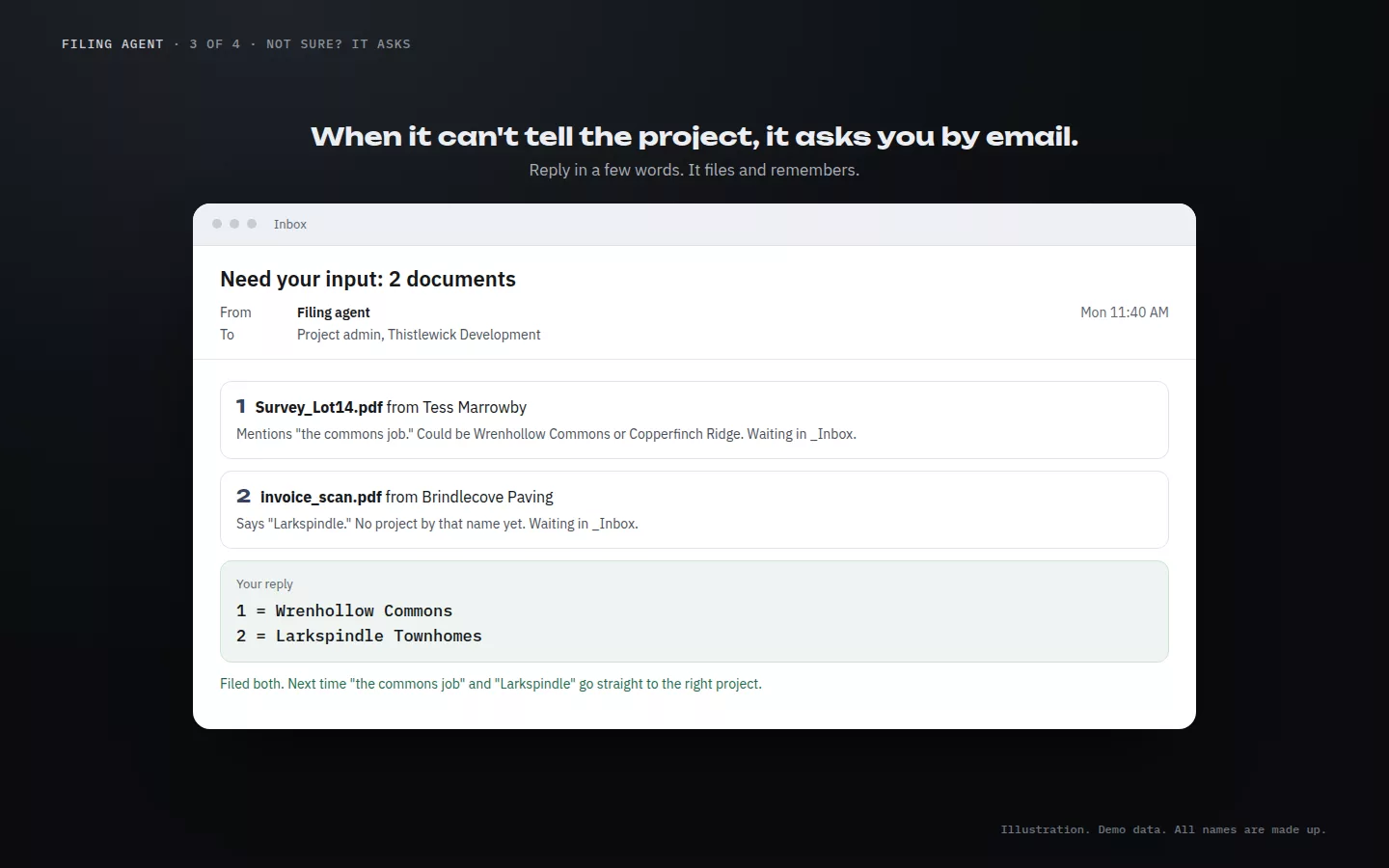
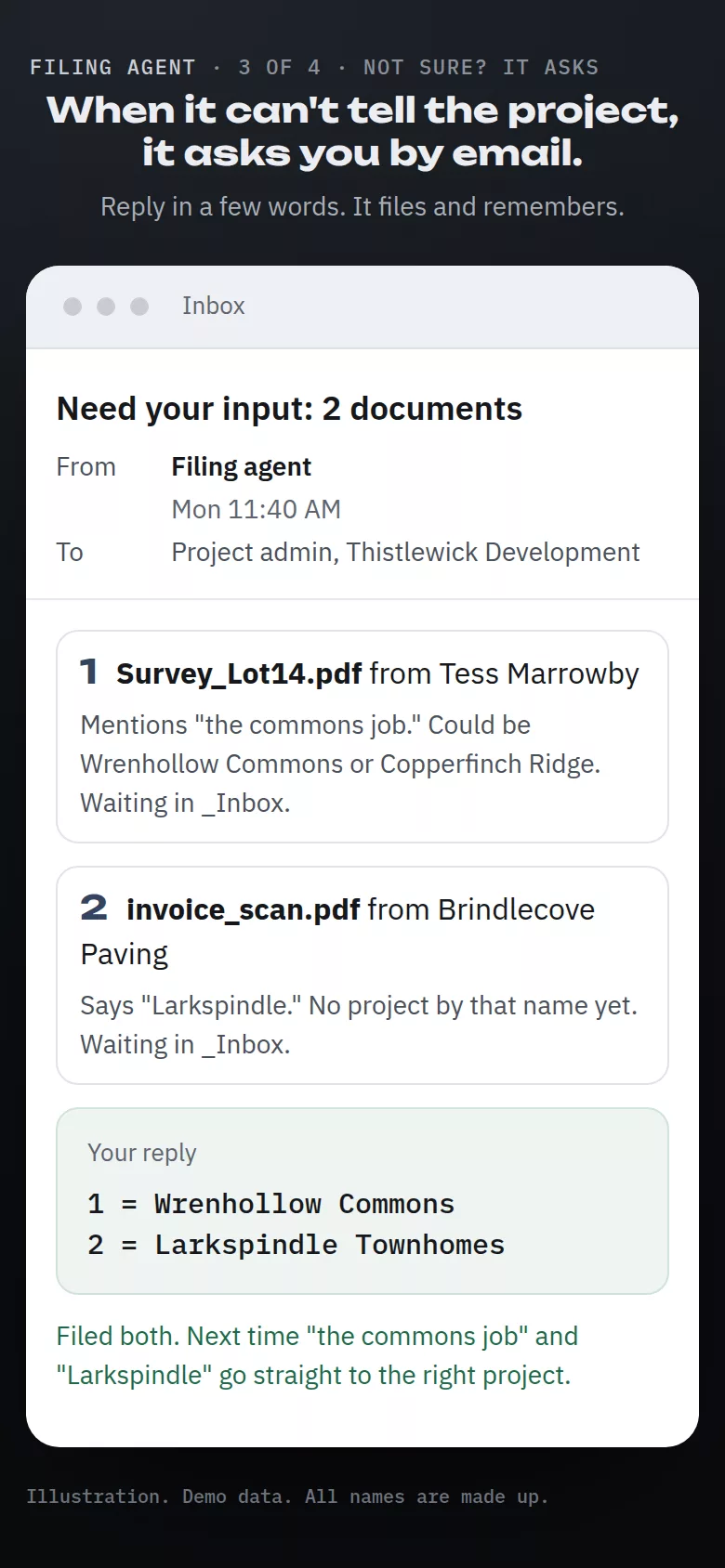
  3. Not sure? It asks. Files it can't place wait in an _Inbox folder, and you get a numbered "Need your input" email. Reply "1 = Wrenhollow Commons" or say it in plain words. It files the document and learns the nickname for next time.
  4. Everyone gets a receipt. A "Filed for you" digest tells the team what went where.

Examples

What you see, on a made-up company.

The SharePoint filing agent works by email, so it has no screens of its own. These illustrations show what your team sees, on a made-up development company. Yours uses your projects and your folders.
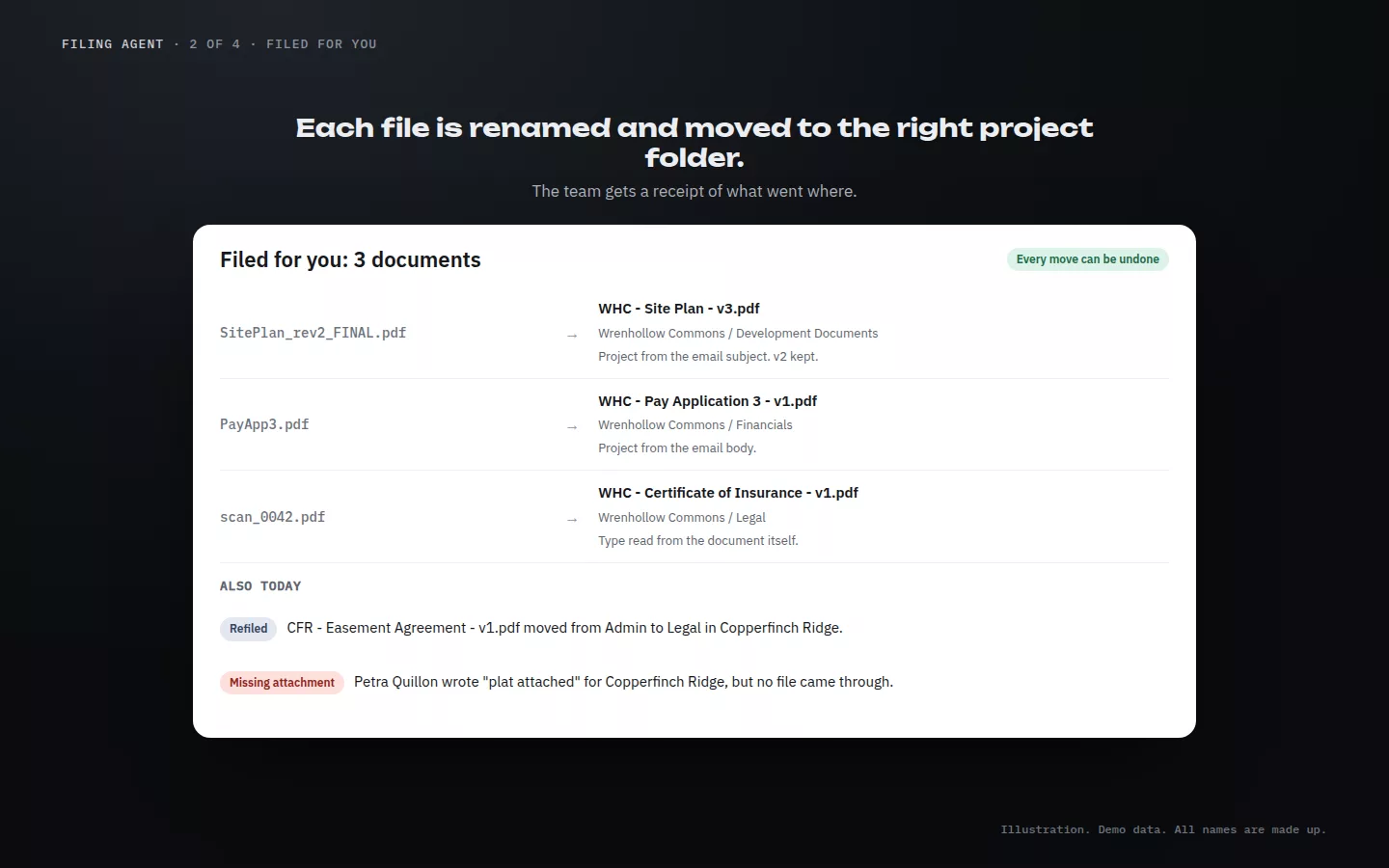
A Filed for you receipt: three attachments renamed to the WHC pattern and placed in Wrenhollow Commons folders, plus one file refiled and one missing attachment flagged.
Filed for you. What went where, renamed. Illustration. Demo data. All names are made up.
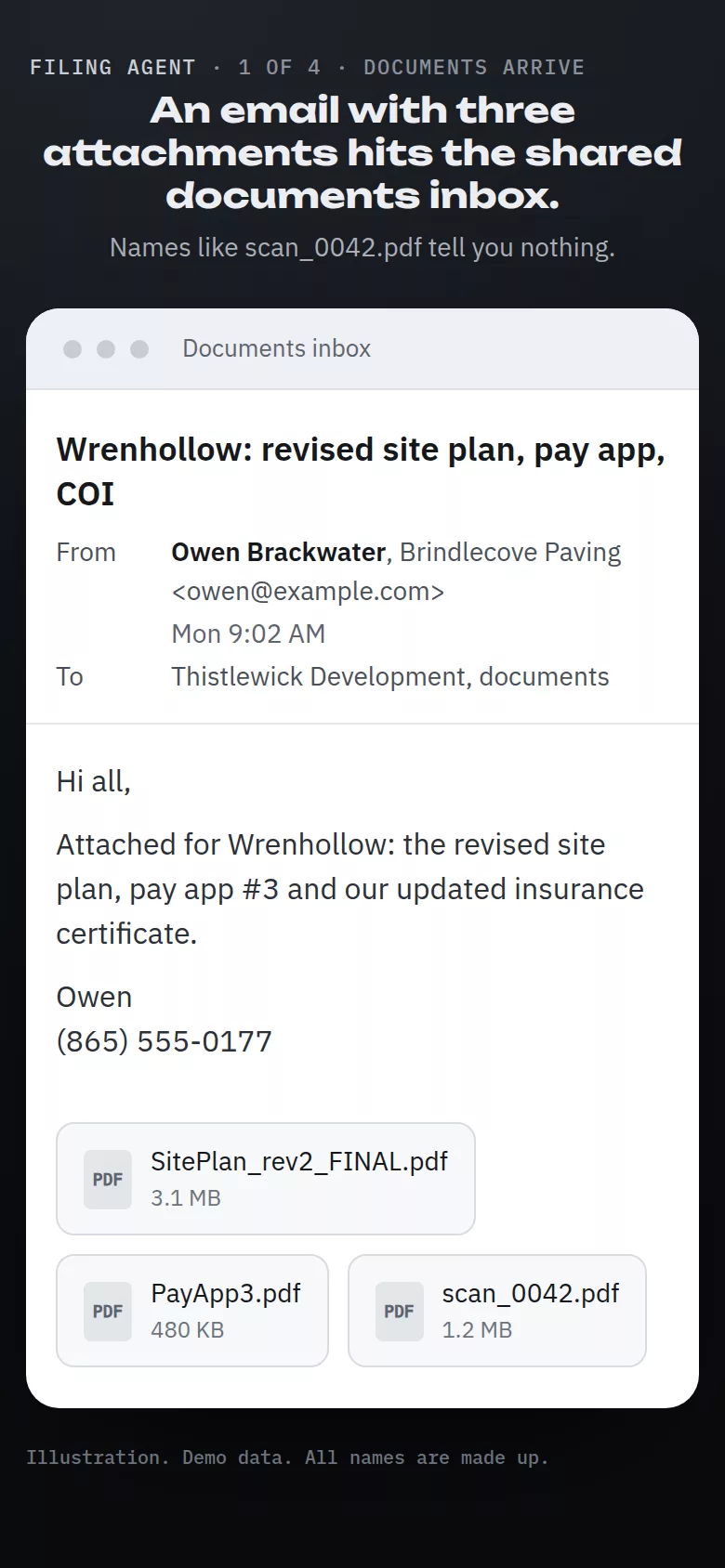
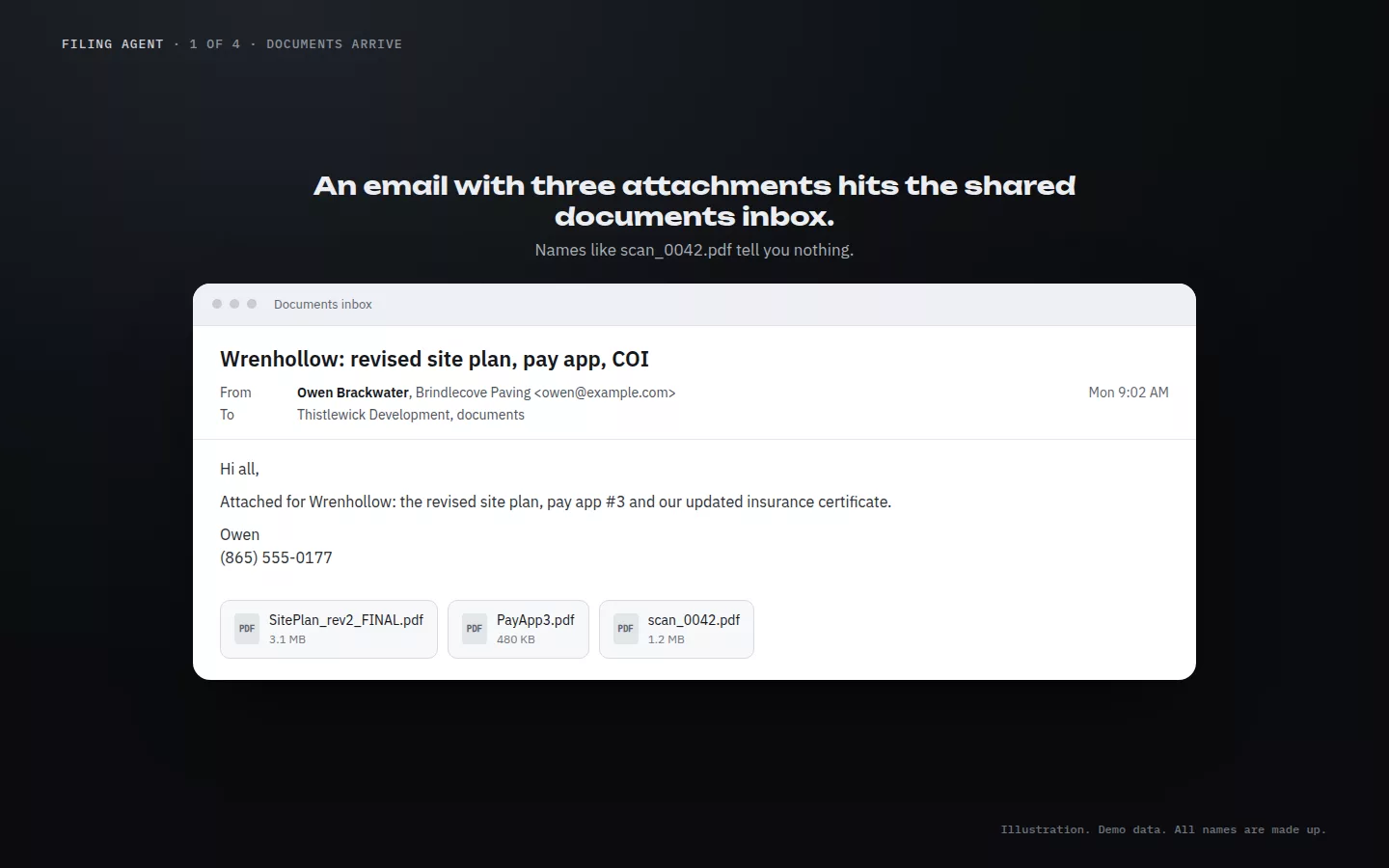
An email from Brindlecove Paving with three attachments: SitePlan_rev2_FINAL.pdf, PayApp3.pdf and scan_0042.pdf.
Documents arrive. Three attachments, three unhelpful names. Illustration. Demo data. All names are made up.
A Need your input email with two numbered documents and the reply 1 = Wrenhollow Commons, 2 = Larkspindle Townhomes.
Need your input. Reply in a few words. Illustration. Demo data. All names are made up.
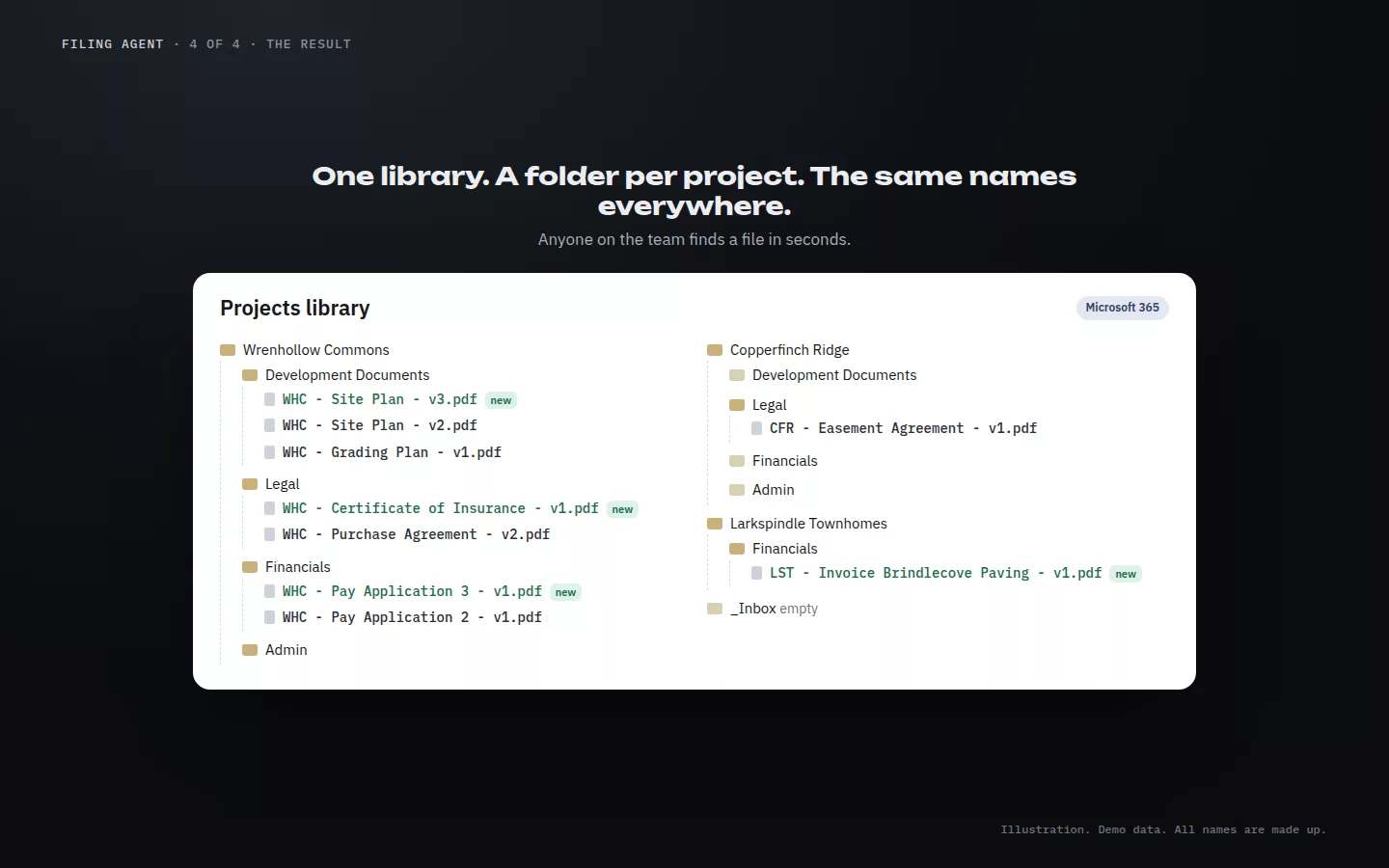
The projects library: Wrenhollow Commons, Copperfinch Ridge and Larkspindle Townhomes, each with Development Documents, Legal, Financials and Admin folders and standard file names.
The result. A folder per project, the same names everywhere. Illustration. Demo data. All names are made up.
The incoming email with three attachments on a phone.
Documents arrive. Illustration. Demo data. All names are made up.
The Need your input email and the reply on a phone.
Answer from your phone. Illustration. Demo data. All names are made up.

Nothing new to learn.

It all runs by email. Your team keeps sending documents the way they do now, and answers a question when the agent asks one.

The rules

You stay in charge.

Files are moved, never deleted

The agent moves files and never deletes them, so every move can be undone.

Unsure? It asks you first

When it can't tell where a document goes, it parks it in _Inbox and asks a person instead of guessing.

Microsoft 365 only

Microsoft 365 document automation, built for a shared mailbox and a SharePoint document library. We set it up for your company.

Your move

Want your files to file themselves?

Thirty minutes. Show us how documents reach you today and how your folders are set up. Setup is $2,500, then $295 a month. See the service menu.