Retroworks

Retroworks / QuickBooks agents / Billing agent

Part of QuickBooks agents, the full suite for your books.

Bills in your inbox become QuickBooks entries you approve from your phone.

The billing agent reads the bills and invoices that land in your billing inbox, drafts each QuickBooks Online entry and waits for you. Approve it on your phone or computer. Nothing posts until you do.

14-second walkthrough. Illustration. Demo data. All names are made up.

What it does

Four jobs off your desk.

01

Reads your bills

Vendor bills and invoices sent to your billing inbox get read for you: vendor, invoice number, dates, job and amount. Bills that land in other mailboxes can be routed there too.

02

Drafts the entry

It drafts the QuickBooks Online entry and sends it to you. Approve it, or ask a question first.

03

Matches payments

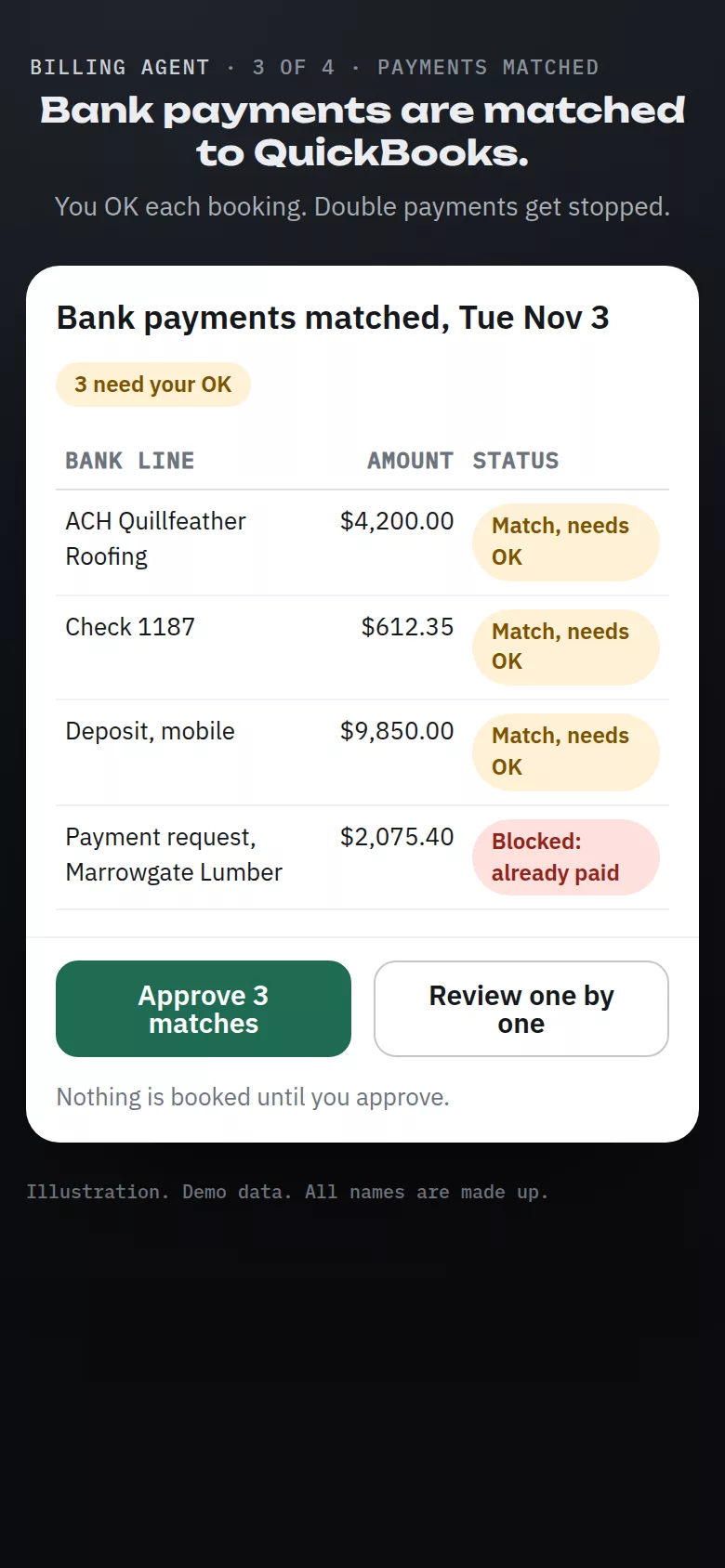
It matches payments in your bank to bills and invoices in QuickBooks Online. Each booking waits for your OK. If QuickBooks Online already shows a bill as paid, it stops a second payment request for that bill.

04

Reports at month-end

You get a budget report, actual against budget by category, and a receipts report that shows which receipts are matched and which are missing.

How it works

From a bill in your inbox to a clean month-end.

  1. We set it up for you. We connect it to your QuickBooks Online company and set up a billing inbox. Bills that go to your other mailboxes can be routed into it.
  2. A bill comes in. The agent reads it and drafts the QuickBooks Online entry.
  3. You approve. On your phone or computer. Only then does it post.
  4. Payments and month-end. Bank payments get matched for your OK, and the month-end budget and receipts reports land in your inbox.

Examples

What you see, on a made-up company.

The billing agent works through email and approvals, so it has no screens of its own. These illustrations show what you see, on a made-up remodeling company. Yours shows your vendors and your books.
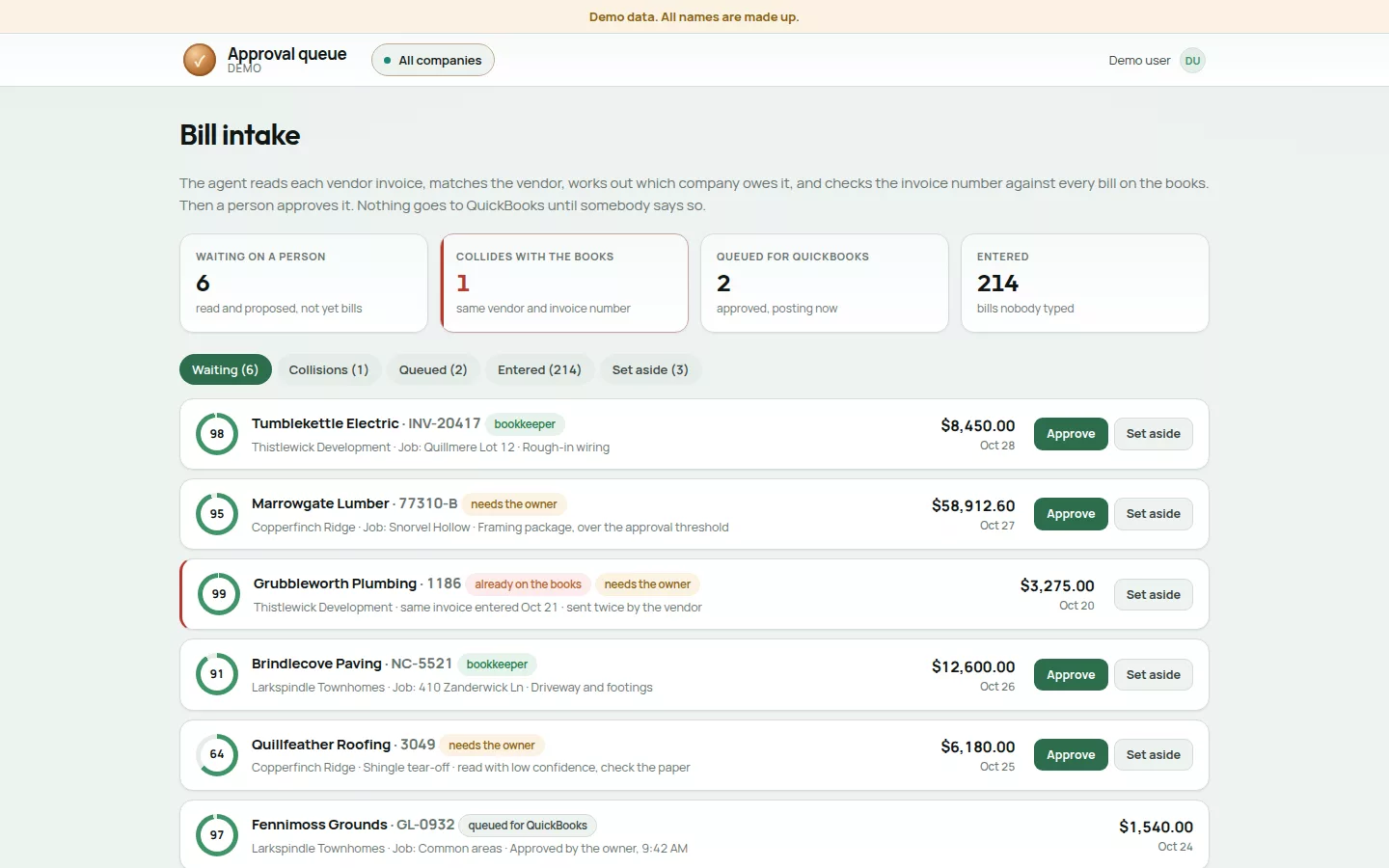
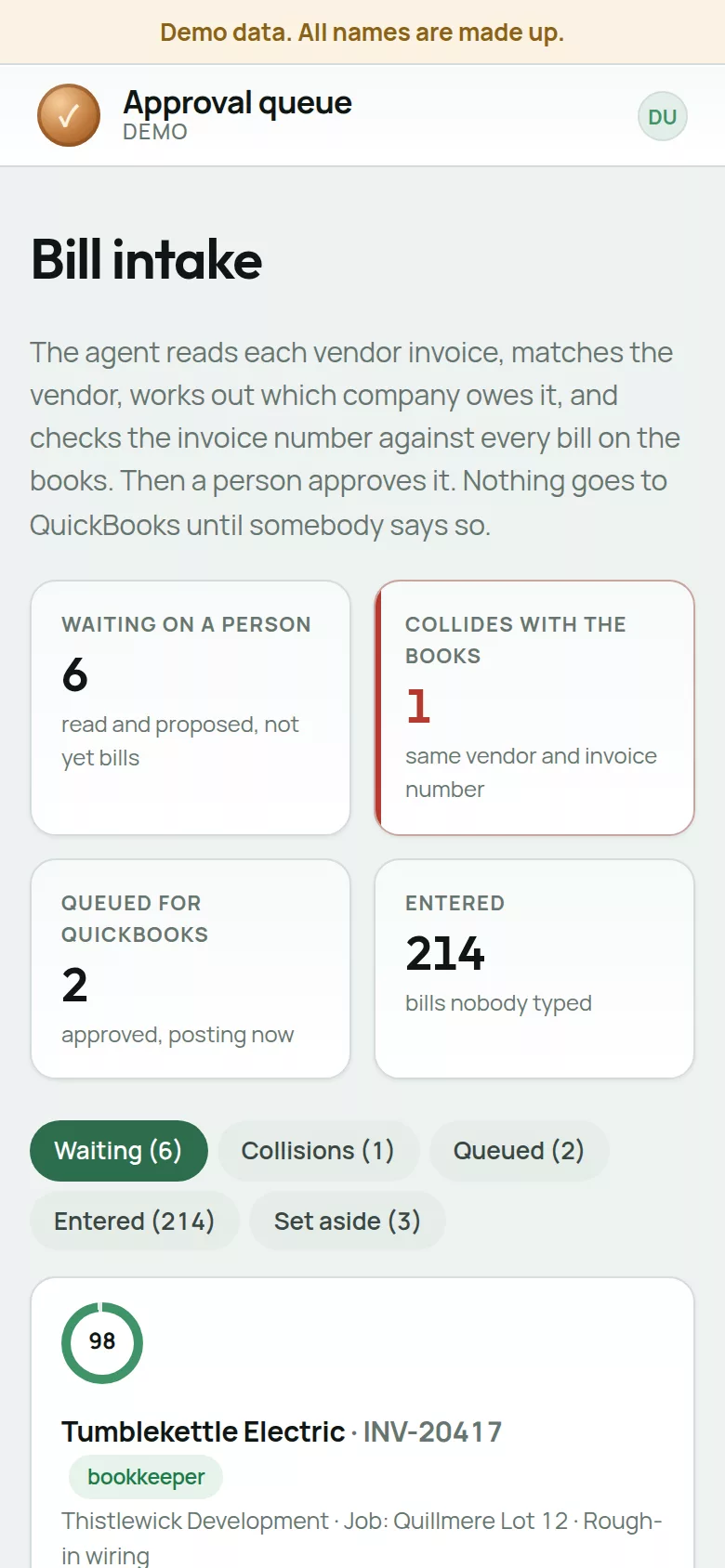
The approval queue: bills read from email, each with the vendor, job, amount and a confidence score, waiting for a person to approve or set aside. One is flagged as already on the books.
The approval queue. Every bill waits for a person. Duplicates and big bills go to the owner. Demo data. All names are made up.
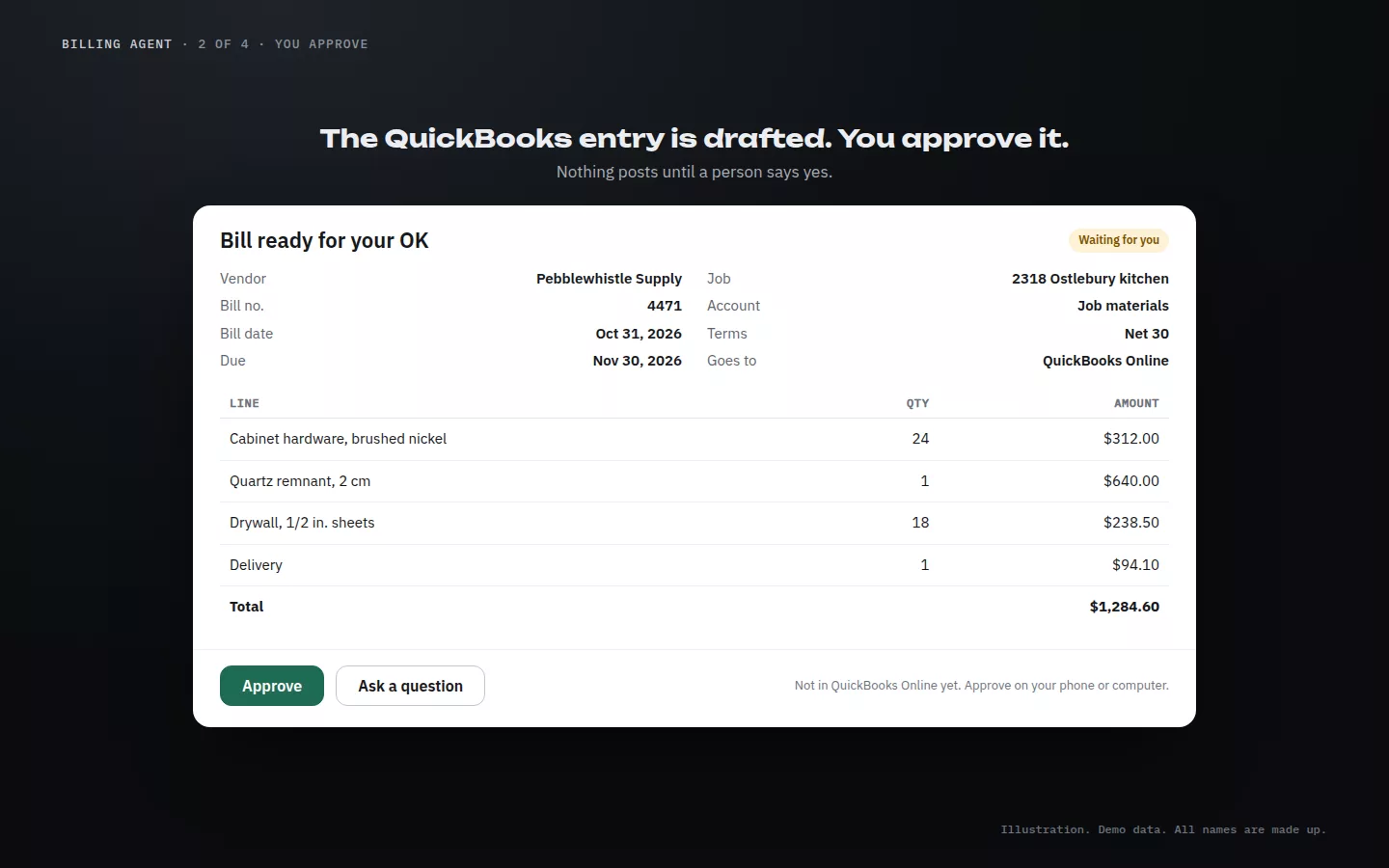
A drafted bill for Pebblewhistle Supply, invoice 4471, $1,284.60 for job 2318, waiting with Approve and Ask a question buttons.
Approve. The drafted entry waits for your OK. Illustration. Demo data. All names are made up.
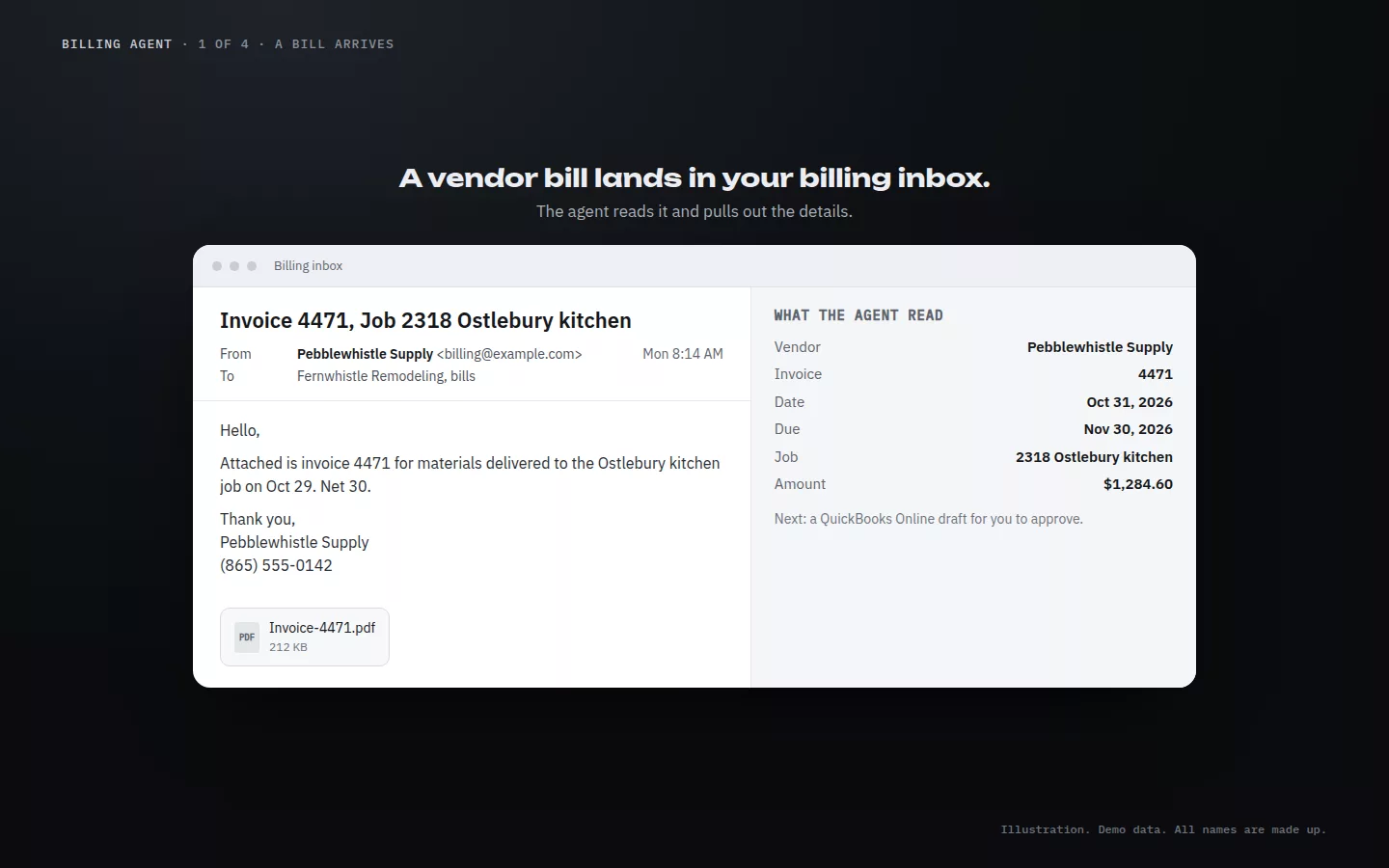
A bill email from Pebblewhistle Supply with a PDF attached, and the vendor, invoice number, dates, job and amount the agent read from it.
A bill arrives. The agent reads the details. Illustration. Demo data. All names are made up.
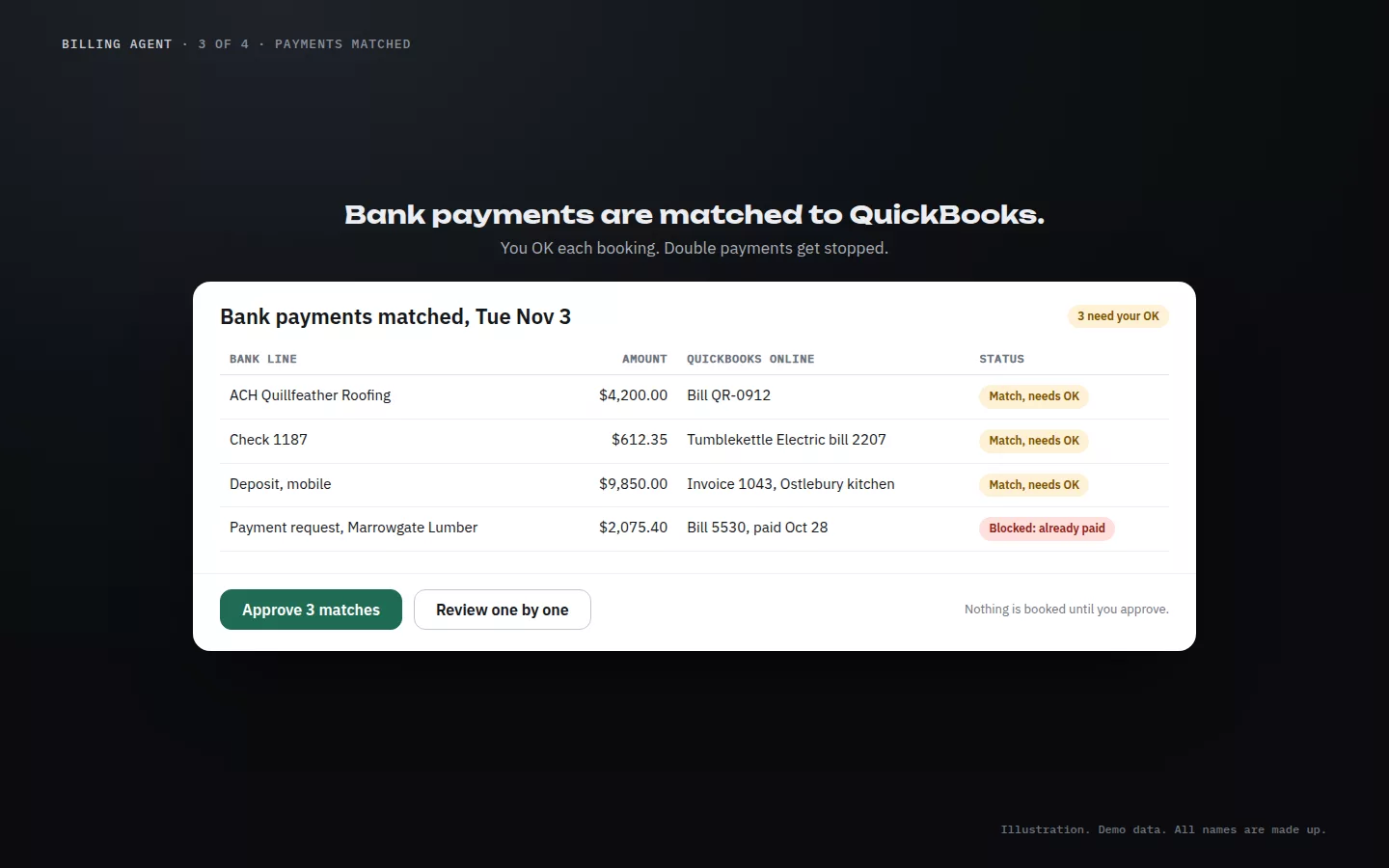
Bank payments matched to QuickBooks Online: three matches waiting for approval and one payment request blocked because the bill is already paid.
Payments matched. A second payment request gets blocked. Illustration. Demo data. All names are made up.
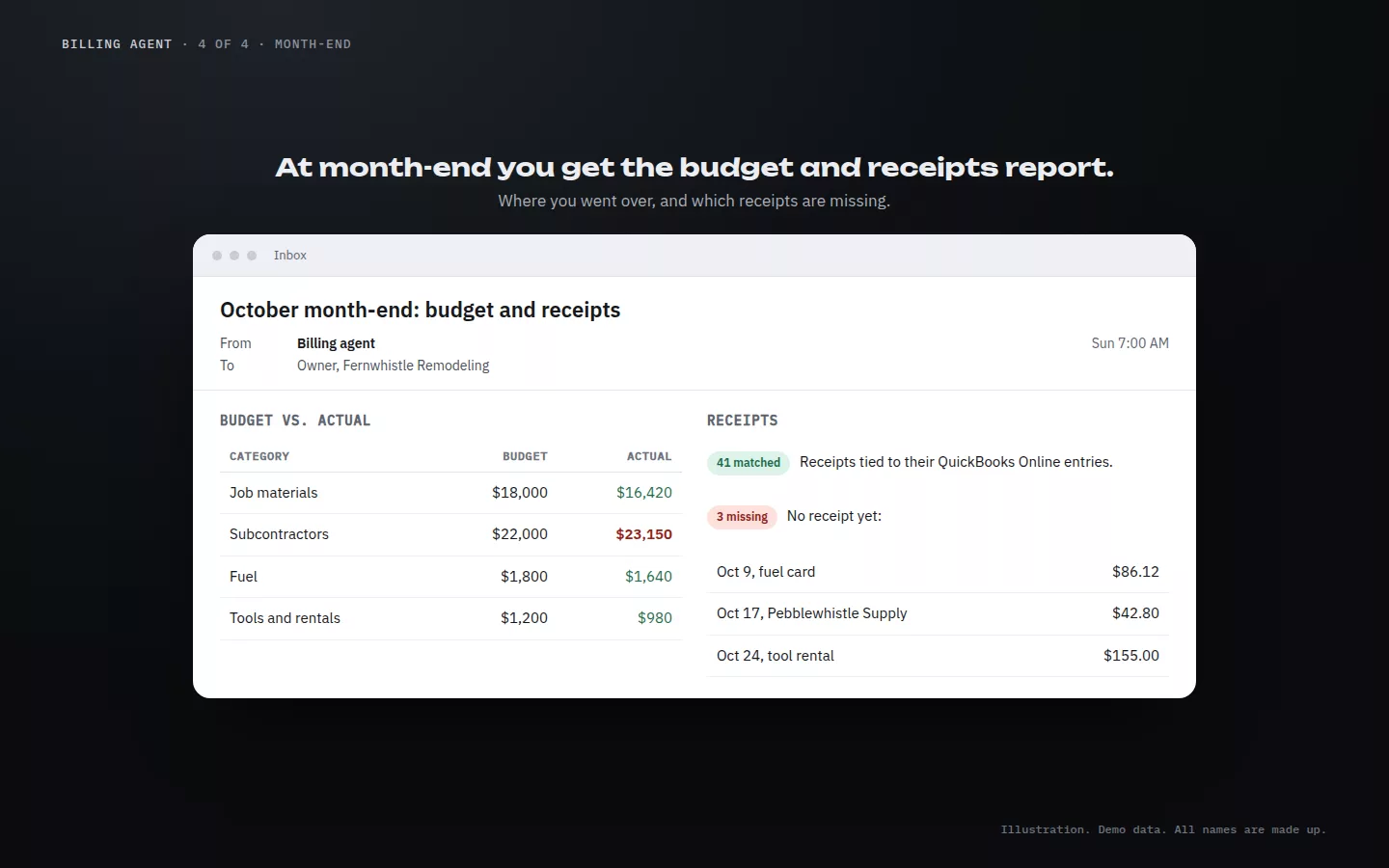
A month-end email: budget against actual by category, 41 receipts matched and 3 missing.
Month-end. Budget and receipts in one email. Illustration. Demo data. All names are made up.
The approval queue on a phone.
The approval queue on your phone. Demo data. All names are made up.
Matched bank payments on a phone.
Payment matches, on the go. Illustration. Demo data. All names are made up.

Approve from the job site.

Bills wait for you on your phone or computer. Approve it, or ask a question first.

The rules

You stay in charge.

Nothing posts until you approve

Every entry and every payment match waits for a person on your team to say yes. Until then, your books don't change.

It never pays or emails vendors

The agent doesn't send money and doesn't email your vendors. Paying bills and talking to vendors stay with your team.

QuickBooks Online

Built for QuickBooks Online. Entries go into your own QuickBooks Online company, where you already keep your books.

Your move

Want bills off your desk?

Thirty minutes. Show us how bills reach you today and we'll walk you through the agent. Setup is $3,500, then $395 a month. See the service menu.